
Every DevOps engineer who is working with ECS and managing monitoring for services knows how hard it can be. You have more than 30 services. A new version of the CloudWatch Agent is released. To update services, you're coordinating with five application teams, creating 30 new task definition revisions, and triggering 30 rolling deployments - just to bump an agent version. One mistake and you have a gap in your monitoring.
Kubernetes had a clean answer to this problem for years: the DaemonSet. One resource, one agent per node, managed independently of applications. Now, ECS is catching up, also.
AWS announced ECS Managed Daemons in April this year. This is a native construct that decouples operational agents from application task definitions. In this post, I'll walk you through what it is, how it works, and how to set it up using the AWS Console.
In short:
ECS Managed Daemons are a native AWS construct that decouples operational agents - like the CloudWatch Agent - from your application task definitions, much like a Kubernetes DaemonSet.
Instead of bundling a monitoring sidecar into every service and redeploying dozens of services just to bump an agent version, you define the daemon once at the cluster level and ECS guarantees exactly one agent per instance - started before your apps and drained last, so monitoring never has a gap.
Platform teams can update agents independently of application teams, with automatic start-before-stop rollouts and circuit-breaker rollback. The one catch: Managed Daemons work only with ECS Managed Instances capacity providers - not the classic EC2 launch type or Fargate.
This post covers what they are, how they work, and how to set one up from the AWS Console.
The Problem with the Sidecar Pattern
Before Managed Daemons, the standard way to run a monitoring agent for your application on ECS was the sidecar pattern: add an agent container directly inside your task definition. This is a problem for more than one reason:
- Tight coupling: If I want to update a new version of the monitoring agent, I need to update the task definition, which will create a new revision, and I need to redeploy the whole service, which includes the application container
- Resource waste: Every task runs a side container for monitoring. If you have 30 tasks, you will have 30 monitoring containers running.
- Inconsistency risk: Teams can accidentally omit the sidecar, leaving some services unmonitored without anyone noticing.
What Are ECS Managed Daemons?
ECS Managed Daemons are a dedicated service for operational agents that is completely separate from your application task definitions. You define it once at the cluster level, and you are assured that it will execute for every service.
Key benefits:
- One daemon per instance: ECS creates exactly one daemon task per managed instance
- Start before applications: The daemon is guaranteed to be running before any application task is placed on that instance.
- Drain last: When an instance is being replaced or drained, the daemon is the last thing to stop, ensuring no gap in observability coverage.
- Independent lifecycle: Platform teams can update the daemon without touching application task definitions or coordinating with application teams.
One thing to keep in mind before you get excited: Managed Daemons only work with ECS Managed Instances capacity providers. Classic EC2 launch type and Fargate are not supported.
Step-by-Step: Setting Up a Managed Daemon via the Console
Before getting started, we need to create:
- An ECS cluster with a Managed Instances capacity provider configured
- An IAM task execution role
- The container image you want to run as a daemon (we'll use the CloudWatch Agent)
- Created log group /ecs/cloudwatch-agent-daemon
Step 1: Create a Daemon Task Definition
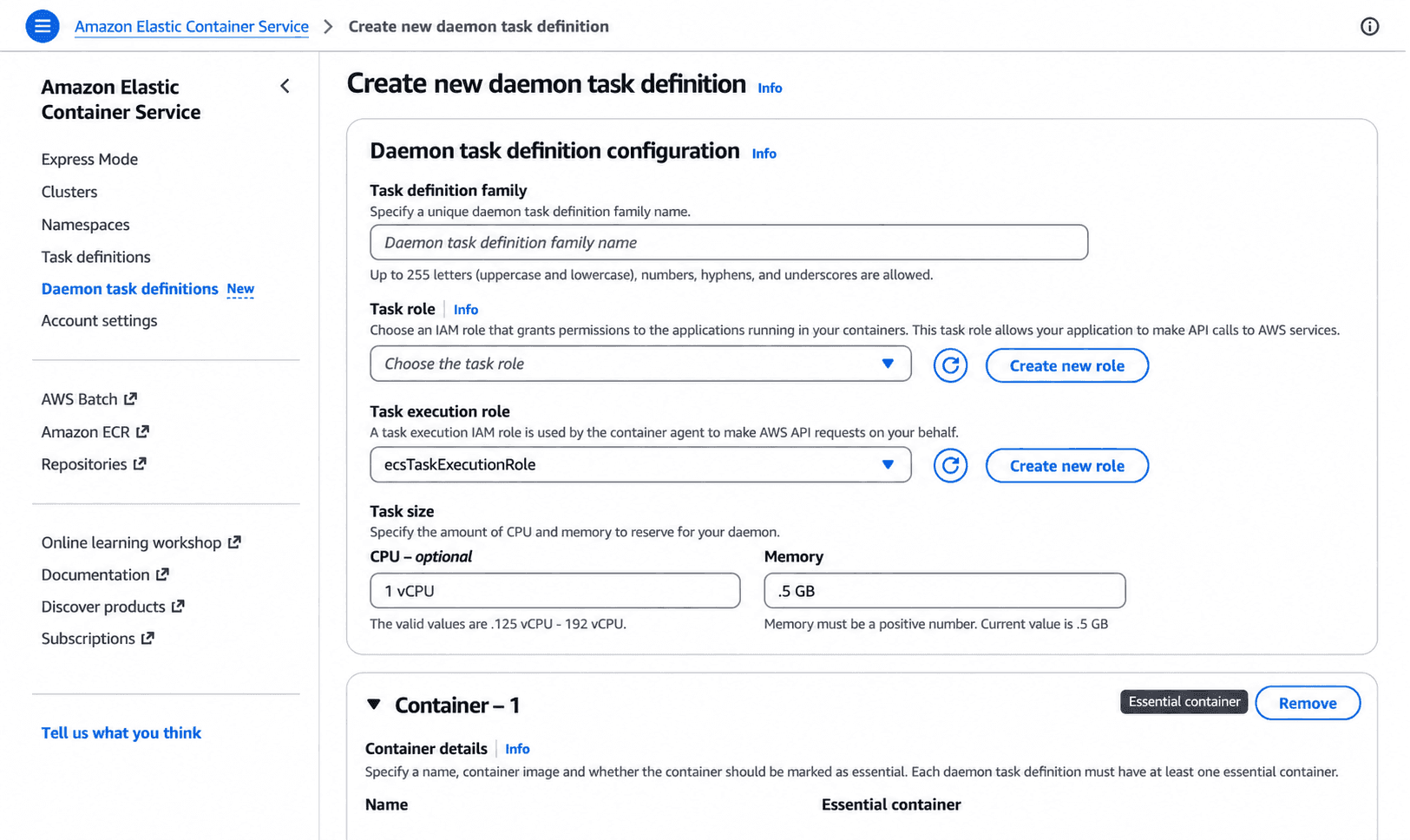
Configure the following:
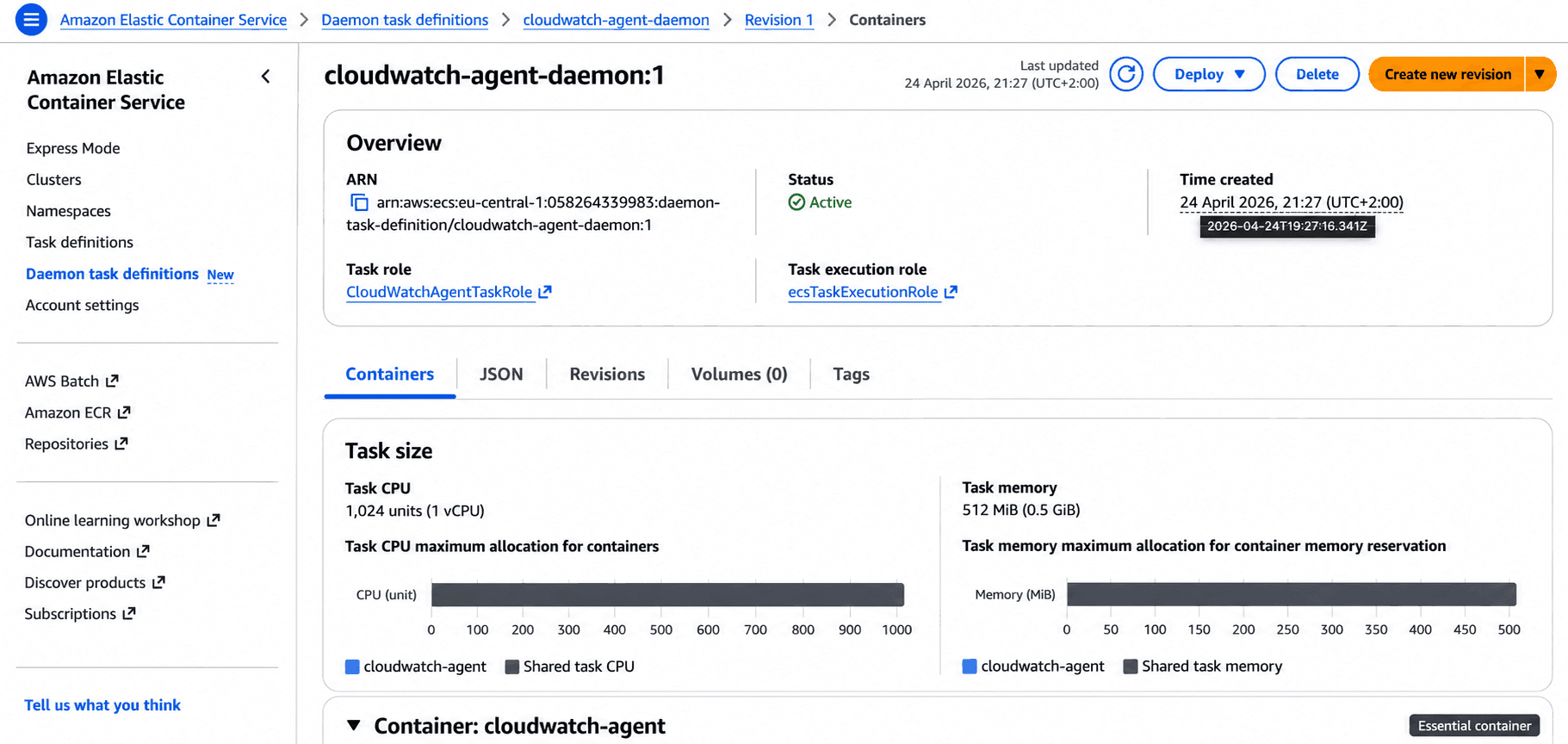
- Daemon task definition family: Give it a name, like cloudwatch-agent-daemon
- Task execution role: Select ecsTaskExecutionRole
- Create a CloudWatch Agent Task Role: Create a new IAM Task role, with name CloudWatchAgentTaskRole, and attach** CloudWatchAgentServerPolicy** AWS managed policy
- CPU: 1 vCPU
- Memory: 512 MB
Under Container, add your agent container:
- Name: cloudwatch-agent
- Image URI: public.ecr.aws/cloudwatch-agent/cloudwatch-agent:latest
- Set configuration for CW Agent; create one env variable:
key: CW_CONFIG_CONTENT value: {\"metrics\":{\"metrics_collected\":{\"cpu\":{\"measurement\":[\"cpu_usage_idle\"],\"metrics_collection_interval\":60}}},\"logs\":{\"metrics_collected\":{\"emf\":{}}}}
Step 2: Create the Daemon on Your Cluster
Go to Clusters tab → Select your cluster → Open Daemons tab
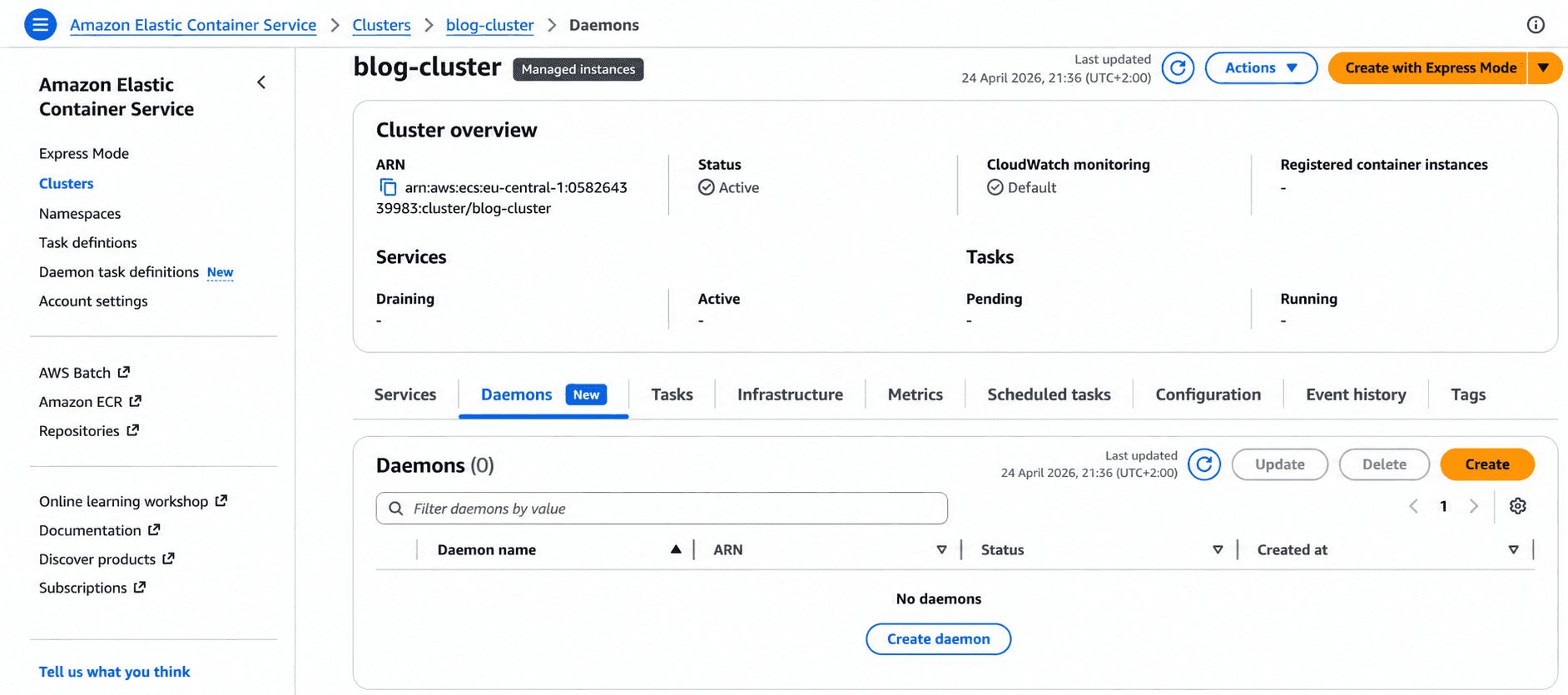
Click Create daemon and configure:
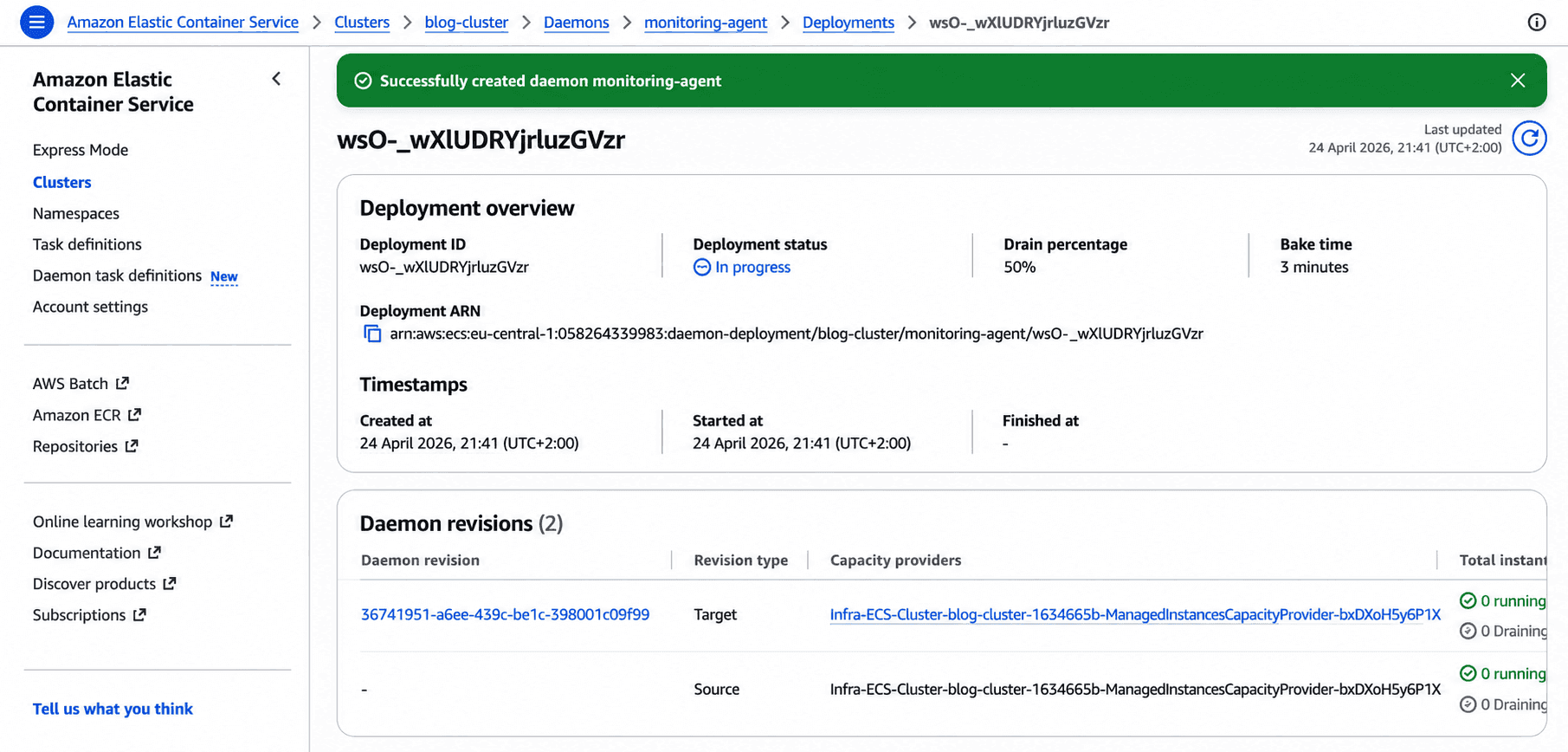
- Daemon name: e.g., monitoring-agent
- Daemon task definition: Select the family you just created
- Capacity provider: Select your Managed Instances capacity provider
- Drain percentage: Controls the pace of rolling replacements during updates (50% means at most half your instances can be in the drain state simultaneously)
Step 3: Verify the Daemon is Running
Create a testing service which will be monitored (e.g., nginx, hello world).
You'll observe that the daemon was already running before the application task was placed - no manual intervention required.
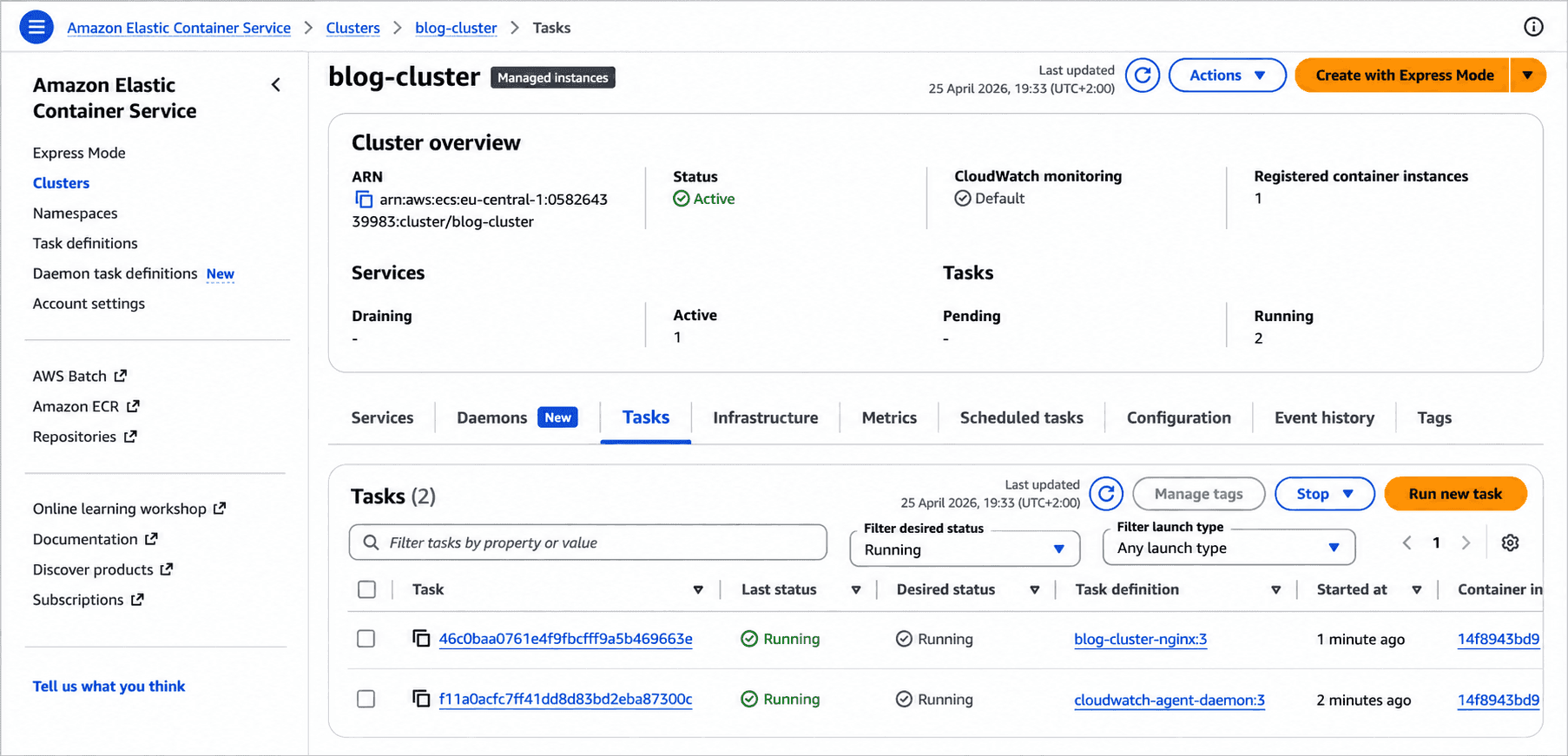
Before the nginx service deployment, there was no instance of the cloudwatch-agent daemon, but when the deployment of the service started, the cloudwatch agent deployed one task first, and then the deployment of the service continued.
How Updates Work
In this part, I will explain the main advantage of daemons over the sidecar pattern. When you need to update the agent to a new version, ECS handles the rollout automatically using a "start before stop" strategy.
The old daemon on the outgoing instance stays alive until all application tasks have successfully migrated to a new instance running the updated daemon. Service will have one available agent in every moment, there is no gap in monitoring or logs shipping.
ECS also includes automatic rollback via circuit breaker. If the new daemon fails health checks during a rollout, ECS stops the replacement and rolls back, protecting your services.
When to Use Managed Daemons?
Managed Daemons are a great fit for any agent that needs to run on every instance, independently of which applications are deployed.
When NOT to use Managed Daemons:
- Application-specific sidecars that only make sense alongside a specific service
- Init containers or one-time setup tasks
Conclusion
My recommendation is to use Managed Daemons every time there is a need for a sidecar agent. One of the biggest wins for me is that I can work separately on updating or creating agents without clashing with developers' work and progress. And there's another thing worth mentioning - no more gaps in monitoring.
The only problem I have currently is that on some projects, we are not using managed instances for ECS, and there are no plans in the future for using them, so we are limited to going the old way.
If you're currently running monitoring agents as sidecars on ECS Managed Instances, this feature is worth evaluating immediately. The migration path is straightforward - extract the agent container from your task definitions, create a daemon task definition, and let ECS manage the rest.
Found this useful? Check out our other blog posts for more insights on cloud architecture.


